
On this page
Your needs, this model
Does it fit your priorities?
Can you use AirDoctor’s stated 1,043 ft² at 4 ACH without requiring a verified 4.8-ACH room rating?
The exact 5500 listing gives 1,043 ft² at four changes per hour. Its 4.8-ACH area remains unknown, so it cannot meet a 4.8-ACH minimum.
Explore this need in the finder →Do you need the Wi-Fi/mobile-app forecast option plus local Auto, not a no-app purifier?
Yes. The current page identifies Wi-Fi/app features on the exact AD5500 Smart SKU; the separate Classic SKU is the app-free option.
Explore this need in the finder →Is a true Night fan mode essential, or is turning panel lights off enough?
The AD5500 manual documents Dim for panel lights but not a dedicated Night mode. A buyer who requires Night mode should reject it.
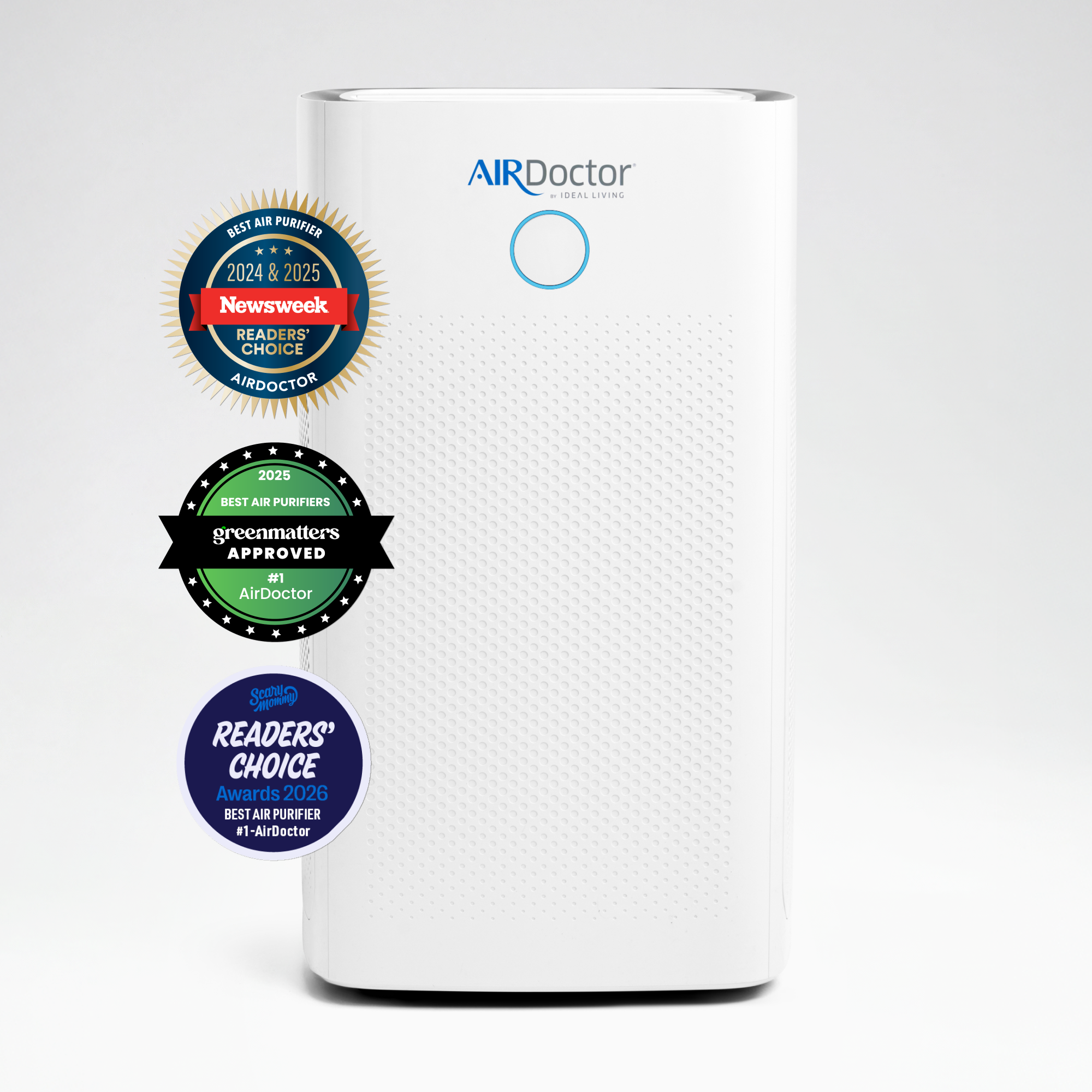
Explore this need in the finder →The AirDoctor 5500 Smart combines the brand’s largest household-room claim in this current family with Wi-Fi and mobile-app features. Its exact U.S. offer is AD5500 Smart, SKU 90AD550SC01. AirDoctor lists circulation for 1,043 square feet at four air changes per hour and a smoke CADR of 556 CFM. The app option changes how you may interact with the purifier; it does not change the published coverage basis, the physical filter stack, or the room-placement decision.
Choose this version for the connected feature, not a higher air-change rating
The 5500 page identifies Wi-Fi connection and a mobile app with an air-quality forecast as Smart features. It also describes app control from away from home. That makes the Smart version more relevant if checking or adjusting the appliance remotely matters in your routine. The listing does not establish a Wi-Fi band, a compatibility guarantee for every router, a particular notification set, or the full list of settings available in the app. Those details should not be assumed from the word “Smart.” If an app workflow is essential, verify that the current app and your network support it before choosing.
The Classic is the non-app counterpart. Both exact options are listed on the same current 5500 page, and the offer data identifies separate SKUs. If you only plan to press buttons on the purifier, the Classic better matches that preference; the Smart is not necessary to obtain the 5500’s physical filtration system. Both still have local controls. The AD5500 manual describes power, six fan speeds, Auto, Dim, timer, Ion, and filter indicators; AirDoctor’s current offer page describes Smart connectivity separately.
What the machine does in the room
The manufacturer rates this model at up to 1,043 square feet for four air changes per hour. Keep that exact rate attached to the area: the reviewed page does not provide a 4.8-ACH coverage area. The 556 CFM figure is specifically smoke CADR, not a pollutant-neutral score. If your filter choice depends on a particular room-rate standard or a separate particle-versus-gas sensor, that evidence is not supplied by the Smart label. The manual calls its monitor an air-quality monitor and describes Auto raising or lowering fan speed, but it does not identify a PM2.5 or TVOC sensor target. Its front indicator uses blue, orange, and red rather than a numeric PM2.5 display.
The 5500’s physical size is a real planning factor. The current exact page and AD5500 manual list a 16-by-16-inch footprint, 28.75-inch height, and roughly 33-pound weight. AirDoctor’s family comparison chart gives conflicting size and weight entries, so do not use either set to promise a precise fit in a cramped location without checking the seller’s current exact listing. Its open-room claim is not a substitute for multiple units across closed rooms, and it is not an HVAC return-air system.
Filters and controls remain a hands-on commitment
AirDoctor lists a permanent pre-filter, two Carbon/Gas Trap/VOC filters, and two UltraHEPA filters in the box. The AD5500 manual illustrates filters on both sides and says to replace the two sides at the same time. It gives about six months for the carbon/VOC pair and twelve months for the UltraHEPA pair, subject to the environment and operating hours. Vacuum the pre-filters monthly or when they collect dust; the manual does not instruct owners to wash them. The status panel signals when each main filter needs attention.
At the unit, six speeds and Auto provide a manual fallback if you prefer not to manage the app. The manual says speed six is best for short bursts; lower settings are suitable for longer everyday use. Dim turns off the light display, and the timer can be set for up to 24 hours. There is a switchable ionizer, so owners can turn it off locally. Dim is only a panel-light adjustment, not a quiet fan program or dedicated Night mode. The manufacturer comparison table lists 39 to 65 dB for low and high settings without stating a weighting method, so treat that as a reference rather than a verified dB(A) limit.
When the Smart option is the right fit
This model makes the most sense for someone who needs a large-area purifier and has a concrete reason to use remote app access or the forecast. If the only requirement is coverage, compare the app-free Classic rather than assuming connected control improves cleaning. If you need a 4.8-ACH minimum, numeric particle readings, a named gas sensor, integrated heating or humidification, a purifier-plus-fan function, or a true Night mode, this 5500 does not have those capabilities established in the reviewed materials. For a smaller target room, the 3500 offers a lower four-change area claim and a smaller listed size; for a tight footprint, compare exact dimensions rather than choosing by model number alone.
Sources: AirDoctor 5500 product page and the AirDoctor AD5500 owner’s manual. The product page identifies the current Smart SKU and app features; the AD5500 manual supports shared local controls, operating behavior, dimensions, and filter care. No Wi-Fi setup instructions from a differently named model are transferred to this exact Smart offer.
Key details at a glance
| Clean air delivery rate (CADR) | 556 CFM |
|---|---|
| Published rated input power | 110 W |
| App control | Yes |
| Body width | 16 in |
| Body depth | 16 in |
| Body height | 28.75 in |
More specifications and setup details
| Published product weight | 33 lb |
|---|---|
| On-unit numeric PM2.5 display | No |
| Included Pet Allergy Filter with ARC Formula | No |
| On-unit lock for accidental control changes | Yes |
| Automatic pre-filter scraper and dust tray | No |
| Manufacturer filter-check/replacement guidance | AD5500 manual gives approximate life of 6 months for Carbon/Gas Trap/VOC and 12 months for UltraHEPA, depending on use and environment; replace both sides at the same time and follow the indicator. |
| Built-in bipolar ionizer | Yes |
| Local ionizer on/off control | Yes |
| Purifier also has a documented circulation-fan function | No |
| Built-in heating mode | No |
| Built-in humidification mode | No |
Use the exact model’s instructions for operating limits, supplied equipment and version differences.
Sources for this assessment
Check the room rating against your actual space.
Compare room-area figures at 4.8 air changes per hour, then check their stated or calculated basis, placement and filter care.