
Your needs, this model
Does it fit your priorities?
Will this single unit serve a room needing at least 358 sq ft at the family’s conservative 4.8-ACH comparison?
Yes; its 387 sq ft comparison floor exceeds 358 sq ft, but it falls short of the 606 sq ft large-room tier.
Explore this need in the finder →Is the desired control path met without mixing versions?
The 250 and 250 Art have physical Auto/manual controls with no documented app; the 250S adds IoCare+ app use while retaining physical controls.
Explore this need in the finder →Can it show a numeric PM2.5 reading on the purifier itself?
No. The purifier’s own AQI cue is color only; the 250S app can show particle numbers, but that does not make the on-unit display numeric.
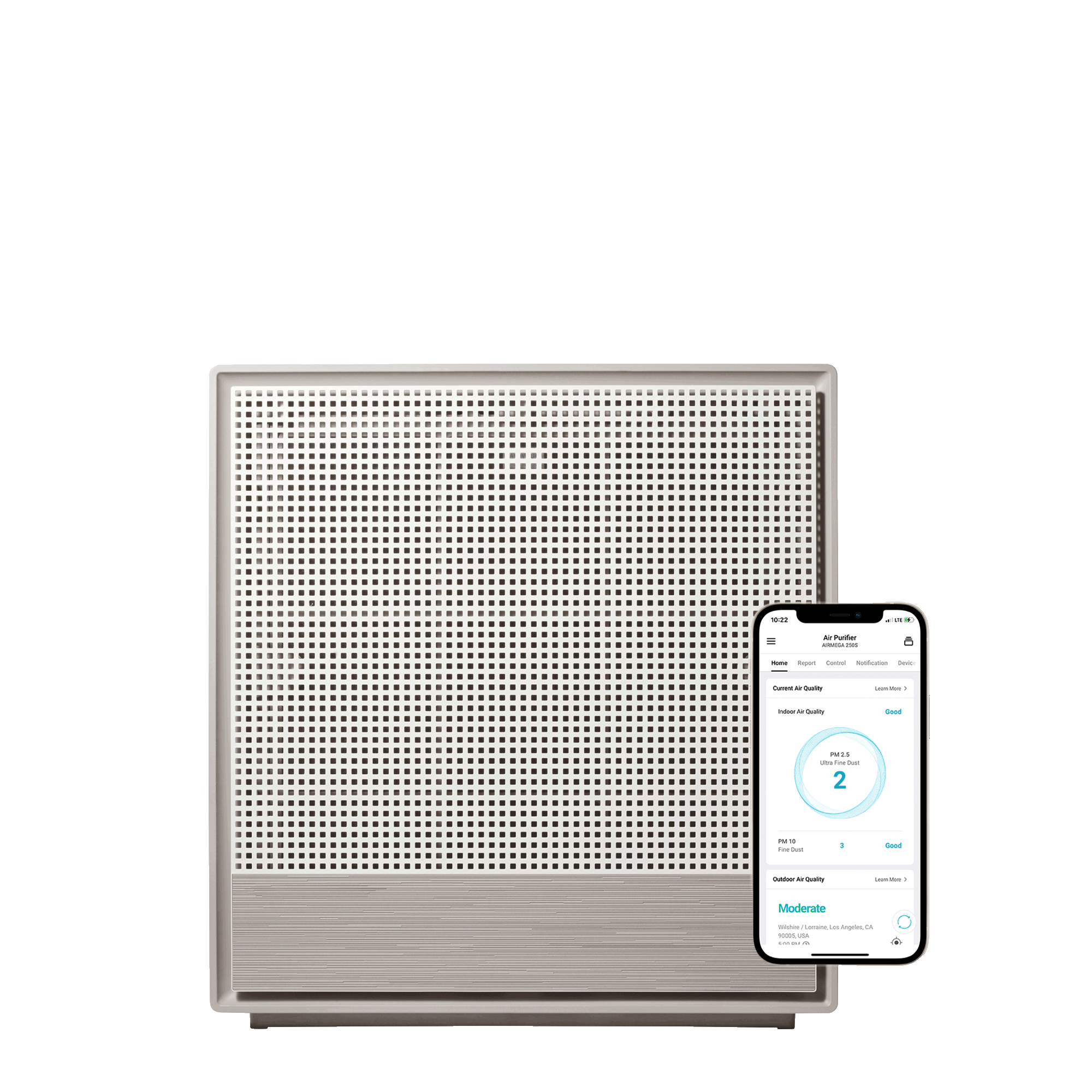
Explore this need in the finder →The Coway Airmega 250S is the connected sibling of the non-Wi-Fi Airmega 250. The practical difference is not a larger room rating: Coway publishes the same 930 square feet at two air changes per hour and 465 at four for both. The 250S adds Wi-Fi, the IoCare+ app, app scheduling and a manufacturer-listed voice-control option while retaining the same front-access filter arrangement and physical controls. It is best for someone who will actually use remote management in a medium room, not for a shopper expecting the “S” to raise the purifier’s airflow rating.
The same room plan as the non-Wi-Fi 250
Coway gives the 250S 1,860 square feet at one air change per hour, 930 at two and 465 at four. Rescaling 465 at four changes per hour to the site’s 4.8-ACH comparison gives a conservative 387-square-foot floor. The maker does not print that 4.8-ACH number directly. It reaches the site’s medium tier, but not the 606-square-foot large-room tier. A connected app cannot compensate for an undersized room plan, open doorways or a purifier hidden behind furniture.
The product page lists CADR figures of 249 smoke, 261 dust and 230 pollen without a unit beside those numbers. I leave the generic CFM value unknown, so a hard CFM minimum cannot be satisfied from those figures alone. Coway’s product page also says particles down to 0.01 microns, while the manual describes the Max2 filter as capturing up to 99.97% of particles down to 0.3 microns. Those are different manufacturer claims; there is no independent measurement here. Use the stated room-area basis and your own practical airflow needs rather than interpreting a small-particle phrase as a complete health guarantee.
What Wi-Fi adds—and what remains local
The 250S can connect to Coway’s IoCare+ app for monitoring and remote control; Coway also lists an app scheduler, voice control and timer choices of one, two, four or eight hours through the app. The precise voice-assistant compatibility is not specified on the model page, so do not assume a particular ecosystem. The manual’s pairing instructions point users to Coway’s app guide. Initial setup therefore depends on an internet-connected home network and a working phone-app account.
The buttons on the appliance remain useful without selecting a remote task: you can turn it on, choose Smart, Rapid or Sleep behavior, set three manual fan speeds, turn indicator lights on or off, adjust pollution-sensor sensitivity and reset the filter indicators. Smart mode uses the local particle sensor; the bar on the appliance shows broad color categories rather than a numeric PM2.5 reading. A phone may provide a different view, but this is not a numeric display on the purifier itself. If app access is an essential requirement, this model differs from the regular 250 and the Airmega 250 Art, which have no Wi-Fi operation documented in their manuals.
Filter care is a real part of the connected choice
The washable pre-filter catches larger hair and dust before the Max2 set, which combines activated carbon and Green True HEPA media. Coway’s manual suggests cleaning the pre-filter about every two weeks using its daily-eight-hours-at-maximum-speed basis. It gives the Max2 cartridge an approximate twelve-month replacement life under that same basis, while the live product page lists a six-to-twelve-month range. If your room is dusty, the indicator may prompt earlier maintenance; reset it after cleaning or replacing the relevant filter. Do not wash or reuse the Max2 cartridge.
Opening the unit means removing the front cover and lifting the pre-filter. Unplug it first; a washed pre-filter needs to dry fully in the shade before it goes back. Clean the particle sensor and the air outlet regularly because dust buildup can affect sensing or airflow. The replacement filter page explicitly lists compatibility across the Airmega 250, 250S and 250 Art. The purifier does not document an automatic pre-filter scraper, a dedicated pet cycle, an aroma pad or a separate TVOC sensor.
Footprint, sound and the version to compare against
The manual identifies the Wi-Fi model as AP-1720G. The exact U.S. offer record is product 7071501320351, variant 41061430919327, SKU 826439000394 and barcode 00000113924. The page and manual agree on 18.5 inches wide, 19.7 inches high, 20.5 pounds and 64 watts. The listed depth is 8.3 inches on the page and 8.03 in the manual, so do not rely on a tight depth limit without checking the physical installation. Coway publishes a 22–54 dB(A) range; performance and sound vary with fan setting.
Pick the 250S if remote scheduling and app monitoring change how you will use it. If the same local Auto behavior is enough, compare the simpler Airmega 250 before paying for connectivity. If visual design matters most, the 250 Art has a decorative front but its room figure is slightly lower and its power/noise records conflict. Above this family’s medium-room basis, step to a Coway model with a larger documented repeated-air-change rating.
Primary references: Coway’s Airmega 250S product page, the linked Airmega 250/250S U.S. manual, and the shared replacement-filter page.
Key details at a glance
| Room area at 4.8 ACH (stated or calculated) | 387 sq ft |
|---|---|
| Published room area at 1 air change per hour | 1860 sq ft |
| Room area at 2 ACH (stated or calculated) | 930 sq ft |
| Published rated input power | 64 W |
| App control | Yes |
| Body width | 18.5 in |
| Body height | 19.7 in |
| Published product weight | 20.5 lb |
| On-unit numeric PM2.5 display | No |
| Included Pet Allergy Filter with ARC Formula | No |
| On-unit lock for accidental control changes | Yes |
| Turbo fan setting | No |
| Manufacturer filter-check/replacement guidance | Coway describes about one year for the Max2 filter under its stated use condition; current product copy gives a 6–12 month range. Actual service life depends on use and room conditions. |
Use the exact model’s instructions for operating limits, supplied equipment and version differences.
Sources for this assessment

Check the room rating against your actual space.
Compare room-area figures at 4.8 air changes per hour, then check their stated or calculated basis, placement and filter care.